🛠 What is ChatGPT Pro Tools?
ChatGPT Pro Tools is a browser extension for Chrome, Edge, and Firefox that turns ChatGPT into an organized library. Its core feature is the Chat Workspace – a full-screen panel with search, date and tag filters, multi-select with bulk actions, pin, and export. The flagship feature is AI Chat Tags, which tags every chat by its title with AI.
📂 What is the Chat Workspace?
The Chat Workspace is a full-screen panel that replaces ChatGPT's cramped Recents sidebar. Browse, search, filter (by date or tag), preview, and manage every conversation in one place – including group chats and projects. Multi-select for bulk delete / archive / move / pin / export, with list and card views.
🏷️ What are AI Chat Tags and how do they work?
AI Chat Tags auto-organize your ChatGPT history by topic. Click Generate to derive a tag vocabulary from your chat titles, review or edit the tags inline, then click Apply to tag every chat in your history. Tags are derived from titles only, so a 1000-chat history finishes in seconds without hitting ChatGPT's rate limiter. Both run in the cloud by default, in Chrome, Edge and Firefox: one free Generate and one free Apply a month, unlimited with Pro, which also tags every new chat automatically. On Chrome you can run tagging on your device instead, free and with no limit, new chats included (On-device AI in Settings → AI, a one-time model download).
💰 Is ChatGPT Pro Tools free?
Yes — the core is free, no account needed. The Chat Workspace with search and filters, the Prompt Manager, copy, and every export format (PDF, DOCX, Markdown, TXT, JSON) are free to use, and each AI button — Generate, Apply, Optimize, Summarize — gets one free cloud run a month (on Chrome all four can also run on your device — free, with no limit, new chats tagged automatically too — once you turn on On-device AI in Settings → AI, a one-time model download). An optional Pro tier ($4.99/month, $49.99/year, or $99.99 once for lifetime access) makes the cloud AI unlimited, tags every new chat automatically in the cloud, adds cross-device Cloud Sync, and lifts the free usage limits.
🔐 Does ChatGPT Pro Tools store my chat data?
No. Your tags, notes, summaries, highlights and saved messages live in your browser, and we never store your conversations. The AI buttons send only what they work on — chat titles for tagging, the draft for the optimizer, a chat's messages for its summary — to our server, which has Google's Gemini process it and keeps none of it. Cloud Sync (Pro, off by default) uploads only an encrypted copy of your extension data.
💬 How do I copy a ChatGPT conversation?
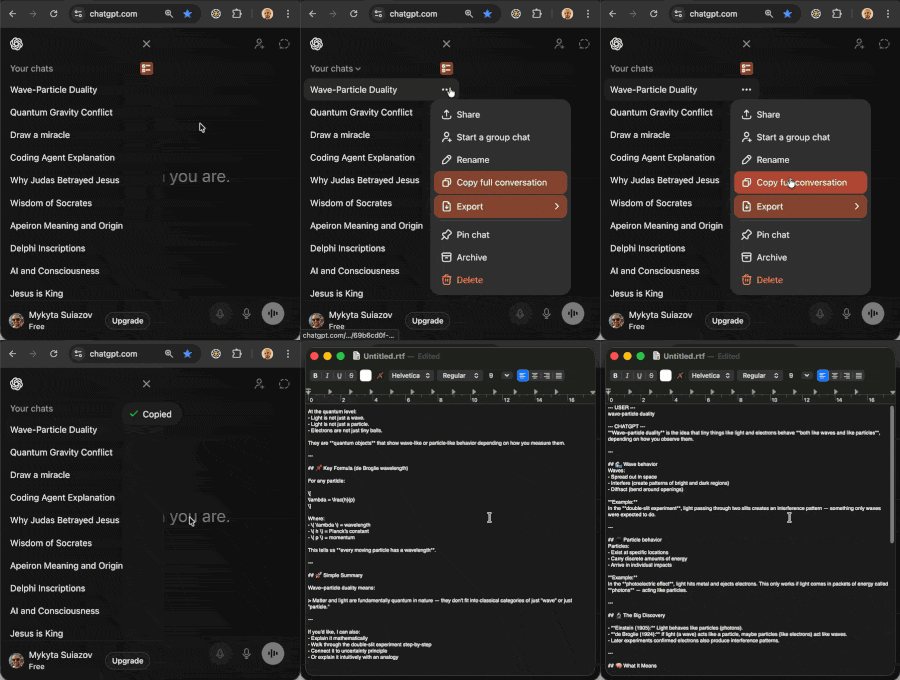
Once installed, you'll see a new "Copy full conversation" button in the chat's conversation menu. One click copies the entire conversation to your clipboard with formatting preserved — bold, italics, headings, lists, and code blocks all survive when you paste into Google Docs, Notion, Slack, or email.
📄 Can I export ChatGPT chats to a file?
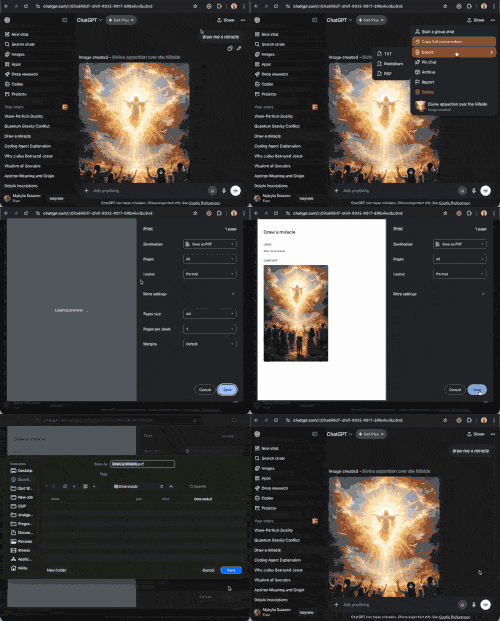
Yes! ChatGPT Pro Tools lets you export conversations as .pdf, .docx (Word), .md (Markdown), .txt, or .json files. Open the chat's ⋯ menu in your sidebar, go to Export, and choose a format. If a window with the chat's messages opens first, click Export there. PDF goes through your browser's print dialog, where you choose Save as PDF (Save to PDF in Firefox); the others download as files.
🚀 How does the AI Prompt Optimizer work?
The Prompt Optimizer transforms your prompts into more effective queries with one click. You can adjust tone and length settings to get better, more tailored responses from ChatGPT. It runs in the cloud by default, in Chrome, Edge and Firefox: one free run a month, unlimited with Pro. On Chrome you can also run it on your device for free, with no limit (On-device AI in Settings → AI, a one-time model download).
🧾 How does the chat summary work?
Open a chat's Summary — the tab on the right edge of the chat, or Summarize chat in its ⋯ menu — pick Brief, Standard or Detailed, and click Summarize. The summary stays with the chat and counts the messages written since; Update brings it up to date. It runs in the cloud by default, in Chrome, Edge and Firefox: one free run a month, unlimited with Pro. On Chrome you can also run it on your device for free, with no limit (On-device AI in Settings → AI, a one-time model download).
📝 What is the Prompt Manager?
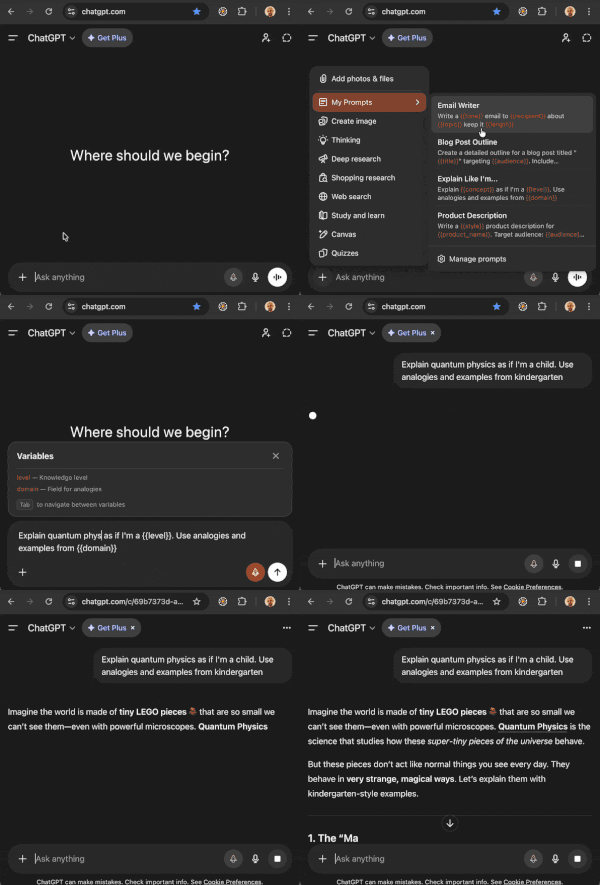
The Prompt Manager lets you save your best ChatGPT prompts as reusable templates. Add {{variables}} that get filled in each time you use a template. Access saved prompts directly from ChatGPT's + menu – pick a prompt, fill in the blanks, and send.
☑️ Can I delete or archive multiple chats at once?
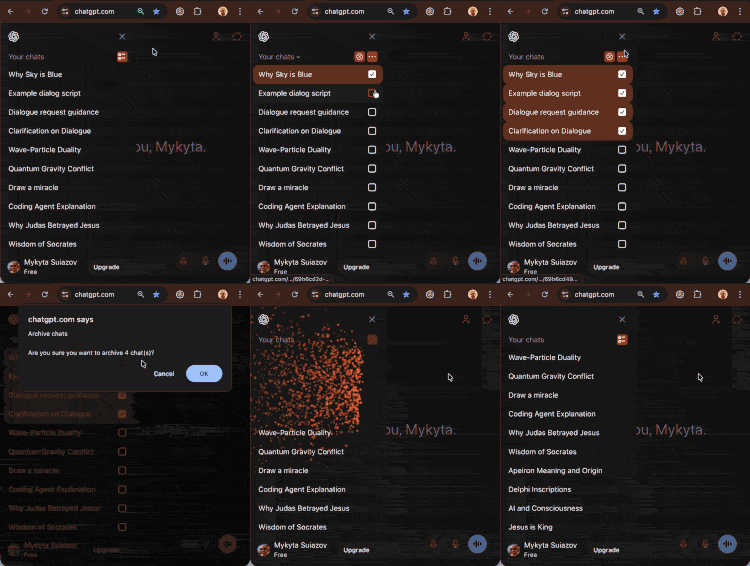
Yes! With Batch Select you can select multiple conversations and delete, archive, or move them to a project in bulk. It works both in the main sidebar and inside ChatGPT projects.
📥 How do I install ChatGPT Pro Tools?
Installing is easy! Visit the Chrome Web Store, click "Add to Chrome", and the extension will be installed automatically. Then just visit ChatGPT and start using the new features. Edge users can install it from Edge Add-ons, and Firefox users can get it from Firefox Add-ons.